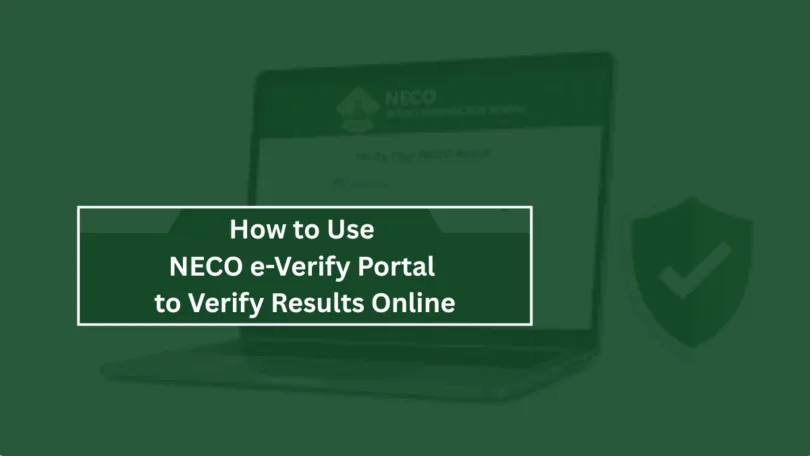
Knowing How to Use NECO e-Verify Portal to Verify Results Online can save you time and prevent issues caused by fake or incorrect certificates whether you are a student applying for admission, a graduate seeking employment, or an organization checking academic credentials.
The National Examinations Council (NECO) provides an online result verification system known as the NECO e-Verify Portal, designed to help individuals, institutions, employers, and organizations confirm the authenticity of NECO examination results.
In the past, verifying an examination result involved visiting offices, submitting physical documents, and waiting for manual confirmation. However, with the introduction of the NECO e-Verify system, candidates can now verify results online quickly and securely from anywhere.
This guide explains everything you need to know about the NECO e-Verify Portal, including how it works, requirements, verification steps, benefits, common problems, and frequently asked questions.
What Is NECO e-Verify Portal?
The NECO e-Verify Portal is an online platform created by the National Examinations Council to allow authorized users to confirm the validity of NECO examination results.
The portal helps verify important details such as:
- Candidate’s name
- Examination number
- Examination year
- Examination type
- Subject grades
- Result status
- Authenticity of the result
The system is especially useful for schools, universities, employers, embassies, and other organizations that need reliable confirmation of NECO certificates.
With the increasing demand for digital verification, the NECO e-Verify Portal has become an important tool for reducing certificate fraud and improving trust in academic records.
Why You Need to Verify NECO Results Online
NECO result verification is important for several reasons. Many institutions now require candidates to provide verified academic documents before they are accepted.
Some major reasons include:
| Reason | Explanation |
|---|---|
| Admission purposes | Universities and colleges may require verified results before completing admission processes |
| Employment screening | Employers use verification to confirm applicants’ educational qualifications |
| International applications | Foreign institutions may request proof that academic certificates are genuine |
| Fraud prevention | Verification helps detect fake or altered examination results |
| Official documentation | Government agencies and organizations may require authentic results |
Learning How to Use NECO e-Verify Portal to Verify Results Online helps candidates avoid delays during important applications.
Requirements Needed to Verify NECO Result Online 2026
Before starting the verification process, users need some important information.
The requirements may include:
| Requirement | Purpose |
| NECO examination number | Identifies the candidate’s examination record |
| Examination year | Confirms the specific examination session |
| Examination type | Identifies SSCE, BECE, or other examination categories |
| Result details | Helps match the candidate’s record |
| Internet connection | Required to access the online portal |
| Payment details (if applicable) | Used for verification service charges |
Candidates should ensure that all information entered is correct to avoid unsuccessful verification attempts.
How to Use NECO e-Verify Portal to Verify Results Online 2026/2027
The process of verifying a NECO result online is straightforward when you follow the correct steps.
Step 1: Visit the NECO e-Verify Portal
- Open your internet browser and access the official NECO e-Verify platform.
- Make sure you are using the correct NECO verification website to avoid fake websites that may collect personal information.
- Using the official portal ensures that your result information is checked directly through NECO’s database.
Step 2: Create an Account or Log In
Depending on the portal requirements, users may need to create an account before accessing verification services. Provide accurate information such as:
- Full name
- Email address
- Phone number
- Password
If you already have an account, simply log in with your existing details.
Creating an account allows users to track verification requests and access previous activities.
Step 3: Select Result Verification Service
After logging in, choose the option for result verification. The portal will request details about the NECO examination result you want to verify.
Carefully select the correct examination category and year.
Step 4: Enter Candidate Examination Details
Enter the required examination information. This may include:
- Examination number
- Examination year
- Examination type
- Candidate information
Ensure every detail matches the original NECO result document.
Incorrect details can prevent the system from locating your record.
Step 5: Make Payment If Required
- Some NECO verification services may require payment before processing.
- Available payment options may include online payment methods supported by the portal.
- Always confirm payment details before completing the transaction.
- Avoid using unofficial agents or websites claiming to offer cheaper verification services.
Step 6: Submit Verification Request
- After entering all details and completing payment, submit your request.
- The system will process the information and compare it with NECO’s official records.
- If the information matches, the result will be confirmed as authentic.
Step 7: Download or Print Verification Report
Once verification is completed, users may be able to access a verification report.
This report can be saved or printed for:
- School applications
- Employment processes
- Official documentation
- Personal records
Keeping a copy helps whenever proof of result authenticity is needed.
Benefits of Using NECO e-Verify Portal
The online verification system offers many advantages compared to traditional verification methods.
| Benefit | Details |
| Faster processing | Verification can be completed online without visiting offices |
| Convenience | Users can access the service from any location |
| Improved security | Helps reduce fake certificate usage |
| Easy record keeping | Digital verification reports can be stored safely |
| Transparency | Institutions can confirm academic records directly |
The ability to complete verification remotely makes the system valuable for students and organizations.
Common Problems When Verifying NECO Results Online
Although the process is simple, users may sometimes experience difficulties.
1. Incorrect Examination Details
Entering the wrong examination number, year, or type can cause verification failure.
Always compare the information entered with your original result document.
2. Network Problems
Poor internet connection may interrupt the verification process.
Try using a stronger network connection and reload the portal.
3. Payment Issues
Sometimes payments may fail due to banking or network problems.
Confirm your transaction status before attempting another payment.
4. Result Not Found
If your result does not appear, check that:
- The examination details are correct
- The result has been officially released
- You selected the correct examination category
For unresolved issues, contact NECO support.
Difference Between NECO Result Checking and NECO Result Verification
Many candidates confuse result checking with result verification. They are different services.
| NECO Result Checking | NECO Result Verification |
| Used by candidates to view grades | Used to confirm authenticity |
| Mainly for personal access | Often required by institutions and employers |
| Shows examination performance | Confirms official record validity |
| Usually done after results are released | Done when proof of authenticity is needed |
Understanding this difference helps candidates choose the correct service.
Who Can Use NECO e-Verify Portal?
The portal can be useful for different categories of users.
A. Students and Graduates
Candidates can verify their results when applying for:
- Universities
- Scholarships
- Jobs
- Professional programs
B. Employers
Companies can confirm applicants’ educational qualifications before hiring.
C. Schools and Institutions
Universities and colleges can verify applicants’ academic records.
D. Government and Organizations
Official bodies can authenticate examination documents during screening processes.
Tips for Successful NECO Result Verification
Follow these tips to avoid problems:
- Always use accurate examination details.
- Use the official NECO verification platform.
- Keep your examination documents safe.
- Avoid sharing sensitive details with unknown individuals.
- Confirm payment before repeating transactions.
- Save your verification confirmation for future use.
READ ALSO:
- Universities That Accept NECO Awaiting Result in Nigeria
- NECO Result Checker Portal Login 2026/2027 | Complete Guide
- How to Check NECO Result with Phone in 2026
Frequently Asked Questions (FAQs)
1. What is the NECO e-Verify Portal?
The NECO e-Verify Portal is an online platform used to confirm whether a NECO examination result is genuine and matches official records.
2. How to Use NECO e-Verify Portal to Verify Results Online?
To use the portal, create an account if required, log in, select result verification, enter your examination details, complete payment if necessary, and submit your request.
3. Can I verify my NECO result without visiting a NECO office?
Yes. The online verification system allows users to verify results remotely without visiting a physical office.
4. Who needs NECO result verification?
Students, employers, schools, government agencies, and organizations that need proof of result authenticity may require verification.
5. Why is my NECO result not showing on the verification portal?
This may happen because of incorrect details, technical issues, or because the result has not been uploaded or released.
6. Is NECO e-Verify safe to use?
Yes, when accessed through the official NECO platform, it provides a secure way to confirm examination results.
7. Can NECO results be verified for foreign applications?
Yes. Many international institutions and organizations may request verified academic results as part of their admission or documentation process.
Conclusion
Knowing How to Use NECO e-Verify Portal to Verify Results Online is essential for anyone who needs to confirm the authenticity of a NECO certificate. The online verification process makes it easier for students, employers, schools, and organizations to access reliable academic confirmation without unnecessary delays.
By following the correct steps, providing accurate examination details, and using the official verification platform, candidates can successfully verify their NECO results and confidently use them for academic, employment, and official purposes in 2026.




Leave a Comment