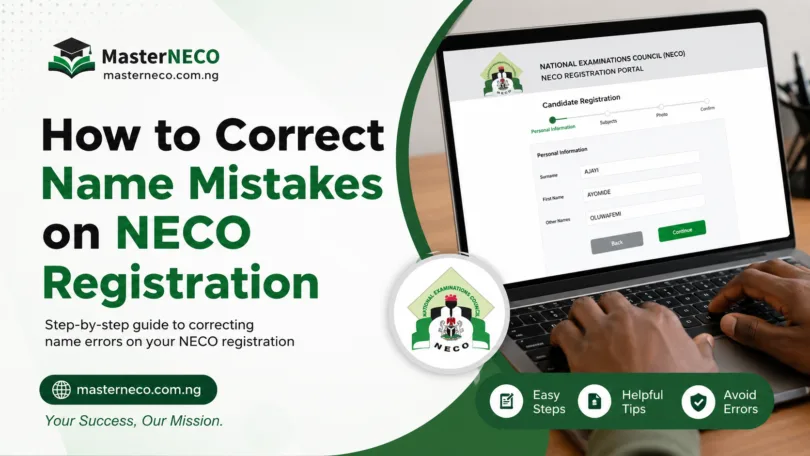
When you register for the National Examination Council (NECO) exams, accuracy in your personal information is essential. Your name, in particular, must match your official identification documents exactly. A simple typo or misspelling during registration can create problems that affect your exam eligibility, certification, and future opportunities.
This guide explains everything you need to know about how to Correct Name Mistakes on NECO Registration before the 2026 examination period.
Understanding the Importance of Name Accuracy in NECO Registration
Your name serves as your primary identifier throughout the entire NECO examination process. When your registered name differs from your official documents, several complications can arise. Exam officials may deny you entry into the examination hall. Your results might be withheld or delayed.
The NECO office could reject your certificate application. Educational institutions and employers rely on matching your registered name with your academic credentials.
The good news is that NECO recognizes these situations happen and provides procedures to correct registration errors. The correction process varies depending on when you discover the mistake and how significant the error is.
Understanding these procedures helps you resolve issues quickly without losing your exam opportunity.
Types of NECO Name Mistakes and Their Severity Levels
Not all name errors carry the same weight in the registration system. Some mistakes affect your eligibility more seriously than others.
| Type of Mistake | Severity Level | Example | Impact on Registration |
|---|---|---|---|
| Minor spelling errors | Low | John instead of Jon | Usually correctable before exam |
| Missing middle name | Low | Obinna instead of Obinna Chukwu | Minimal impact if other details match |
| Transposed letters | Low | Chioma instead of Chioam | Easy to verify and correct |
| Completely wrong first name | High | Samuel instead of Segun | Major verification required |
| Completely wrong last name | High | Adeyemi instead of Okafor | Prevents proper identification |
| Additional unwanted names added | Medium | Mary Joy instead of Mary | Requires documentation |
| Name format differences | Medium | O’Brien vs Obrien | Depends on official documents |
How to Correct Name Mistakes on NECO Registration 2026
Step 1: Access Your NECO Registration Portal
Begin by logging into your NECO registration account. Go to the official NECO website (neco.gov.ng) and navigate to the candidates’ portal. You’ll need your registration number and password.
If you cannot remember your password, use the “Forgot Password” option to reset it. This reset link will be sent to the email address you provided during initial registration.
Once logged in, review your complete registration information. Check your full name exactly as it appears in the system. Cross-reference this with your national identification card, passport, or birth certificate.
Look for any discrepancies between what you entered and what official documents show.
Step 2: Document Your Official Name
Gather all official documents that display your legal name. These include your national identification number (NIN), international passport, driver’s license, or local government-issued birth certificate.
The name on these documents is considered your legal name for NECO purposes. If the documents themselves show different versions of your name, obtain an official letter from the local government area explaining the name variation.
Photograph or scan these documents clearly. Store digital copies on your phone or computer. You may need to present these documents during the correction process as proof of your legal name.
Step 3: Complete the Name Correction Form
NECO requires you to fill out an official correction form. This form is available on the NECO portal or at your designated examination center. The form asks for:
Your registration number Your current registered name The correct name as it appears on your official documents The specific nature of the error Your reason for the correction request Your contact details and email address
Fill out this form completely and accurately. Any blank spaces or unclear information can delay the correction process. Be specific about which part of your name needs correction.
Step 4: Submit Documentation to Your Examination Center
Take both your completed correction form and photocopies of your official identity documents to your designated NECO examination center. The center officials will review your documents and verify the information.
If the documents support your claim, the center coordinator will submit your correction request to the NECO head office.
Keep a copy of everything you submit. Ask for a receipt or acknowledgment that your correction has been received. Note the date you submitted the request and the name of the official who received it.
Step 5: Follow Up with NECO Officials
After submission, wait for confirmation from NECO. The correction process typically takes 7 to 14 business days. Contact your examination center weekly to check the status of your request. Once NECO processes the correction, they will send confirmation to the examination center, which will inform you.
NECO Online Name Correction Procedures
NECO has expanded its services to allow certain corrections online. This process is faster than visiting the center physically.
How to Correct Your Name Online
- Log into the NECO candidates’ portal using your registration credentials.
- Navigate to the “Registration Information” section.
- Click on “Edit Profile” or “Correct Information.”
- Select “Name Correction” from the dropdown menu.
- Enter the correct name and the reason for the change.
- Upload clear scans of your identity documents.
- For a national ID, scan both the front and back.
- For a passport, scan the page with your name and photograph. Submit your request.
You will receive a confirmation email immediately. NECO staff will review your submission within 5 business days.
If approved, the correction will be automatically reflected in your registration. If additional information is needed, NECO will email you.
READ ALSO: How to Pass NECO 2026 Without Malpractice (Expo)
Important Deadlines for NECO Name Corrections in 2026
Correcting your name becomes increasingly difficult the closer you get to the examination date. NECO maintains specific deadline windows for different types of corrections.
| Correction Type | Final Deadline | Processing Time | Method |
|---|---|---|---|
| Minor spelling errors | 21 days before exam | 5-7 days | Online or center |
| Missing middle name | 21 days before exam | 5-7 days | Online or center |
| Wrong first/last name | 35 days before exam | 10-14 days | Center only |
| Multiple name errors | 35 days before exam | 14-21 days | Center only |
| Name not on portal | 42 days before exam | 14-21 days | Center only |
These deadlines exist because NECO needs time to verify your identity, make changes in their system, and update examination documents. Attempting corrections after deadlines significantly reduces approval chances.
Common Reasons NECO Denies Name Corrections
Not every name correction request is approved. Understanding why some requests fail helps you avoid these situations.
- Insufficient or unclear documentation: You submit identity documents that don’t clearly show your legal name. NECO requires documents where your name is printed or officially recorded. Handwritten additions or corrections on documents are not accepted as proof.
- Name mismatch with your institution’s records: If you previously attended secondary school with a different registered name, NECO may require documentation from that school confirming your identity. This process takes extra time.
- Multiple conflicting versions of your name: If you have used different name variations in different places, NECO may reject the correction until you provide documentation showing which version is your legal name.
- Submission after the deadline: Requests submitted close to or after the deadline are typically denied due to system update limitations.
- Incomplete correction form: Forms with missing information are automatically rejected. NECO will ask you to resubmit, which wastes time.
- Unverifiable address or contact details: If the address on your correction form doesn’t match your identity documents, NECO may deny the request to prevent fraud.
What to Do If Your Name Correction Is Denied
If NECO rejects your correction request, you have limited options but they do exist.
- First, contact NECO directly through their official channels. Call the candidate support line or send an email to the candidates’ unit. Ask for specific reasons why your request was denied. Sometimes denials result from misunderstandings that can be cleared up quickly.
- Second, provide additional documentation. If your first submission didn’t include all possible proof, gather more documents. Some candidates have successfully re-appealed with additional evidence from local government areas or school records.
- Third, escalate to your examination center coordinator. This person can advocate on your behalf and sometimes has authority to recommend special review of denied requests.
- Fourth, prepare for the examination using your current registered name. If your correction cannot be approved before exam day, you can still sit the exam. However, bring your identity documents to the examination center. Officials can note the name discrepancy and may issue your results under your correct name after the exam.
How to Avoid Name Mistakes During Initial Registration
The easiest approach is preventing name errors in the first place.
When you first register for NECO, copy your name directly from your official identity document. Do not rely on memory or how you normally spell your name. Type it character by character exactly as it appears on your national ID or passport.
Many mistakes happen because people register using nicknames or shortened versions of their names. The registration system requires your full legal name. If your legal name is Chidinma, do not register as Chidi. This creates confusion during verification.
Take time during registration. Do not rush through the process. Read back everything you entered before clicking submit. Have a parent or guardian review your information if you are under 18. A second set of eyes catches errors the first person misses.
If you are unsure how your name appears on your documents, have those documents with you while registering. This removes all guesswork.
Frequently Asked Questions About NECO Name Corrections
Q: Can I correct my name after I have sat the NECO exam?
A: Yes, but the process becomes more complex. You must contact NECO after you receive your results and provide documentation showing the name discrepancy. NECO can reissue your result slip and certificate under your correct name, though this takes additional time and may incur a fee.
Q: What if my correct name is hyphenated or has an apostrophe?
A: The NECO portal should accommodate special characters. If you have difficulty entering your name, contact your examination center for assistance. Some centers can manually input names with special characters into the system.
Q: Does NECO accept nicknames or abbreviated versions of names?
A: No. NECO requires your full legal name as shown on official identification. Nicknames and abbreviations are not acceptable for examination registration purposes.
Q: How long does NECO take to process name corrections?
A: Processing typically takes 5 to 14 business days depending on the type of correction and completeness of your documentation. Complex cases involving verification with other institutions may take 21 days or longer.
Q: Can my parents correct my name on my behalf?
A: Parents can submit documentation on behalf of candidates under 18, but the candidate or a designated representative must be present to sign the correction form. NECO may require the candidate’s signature or verbal confirmation.
Q: What if my name appears differently in different official documents?
A: Gather all documents showing your name and provide them to NECO. Include a letter from your local government area explaining the variation. NECO will use the most official document (typically your national ID) as the correct version.
Q: Will a name correction affect my examination date or center assignment?
A: No. Name corrections do not change your assigned examination date, time, or center. Your registration number and other details remain the same.
Q: Can I correct my middle name without changing my first and last name?
A: Yes. NECO allows partial name corrections if you only need to add or correct a middle name. This is treated as a minor correction and processed quickly.
Q: What happens if I cannot correct my name before the exam deadline?
A: You can still sit the examination using your current registered name. Bring your correct identity document to the exam center. After the exam, you can request a name correction for your results and certificate.
Q: Does NECO charge a fee for name corrections?
A: NECO does not charge for correcting registration errors made by candidates. However, corrections requested after the examination or for reissuing certificates may incur a fee, typically between 500 and 2,000 naira depending on the service.
Q: How do I know if my name correction has been approved?
A: NECO will send a confirmation email to the address on your registration. Your examination center will also be notified. You can verify approval by logging into your portal and checking your registration details.
Q: What if the examination center says they cannot help with my name correction?
A: Some smaller centers may direct you to the main NECO office in your state. You can also submit your correction online through the NECO portal instead. If you face resistance, contact NECO’s candidate support line for guidance.
Conclusion
Name mistakes on NECO registration are correctable if you act quickly and provide proper documentation. The key is addressing these errors as soon as you discover them. Do not wait until the week before your exam. Start the correction process immediately after noticing any discrepancy between your registered name and your official identity documents.
Follow the procedures outlined in this guide carefully. Submit complete, accurate forms along with clear photocopies of your identity documents. Keep records of everything you submit. Follow up regularly with your examination center.
If you are currently preparing for the 2026 NECO examinations, review your registration information today. Verify that your name matches your official documents perfectly. If corrections are needed, begin the process immediately. Taking these steps now prevents last-minute complications that could jeopardize your examination experience.
For the most current information about NECO procedures, visit the official website at neco.gov.ng or contact your designated examination center directly. NECO staff are available to answer specific questions about your unique situation.




Leave a Comment