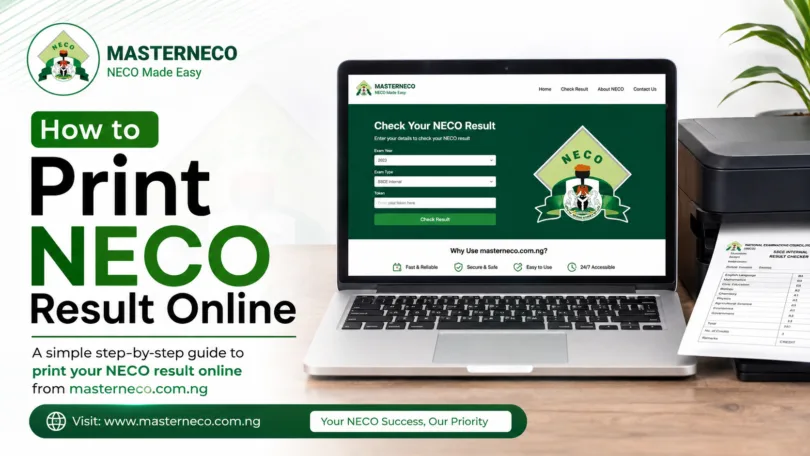
How to Print NECO Result Online 2026 | Step by Step and some other details to know.
For many students in Nigeria, checking and printing NECO results is one of the most important activities after examinations. Whether you want to apply for admission, scholarships, jobs, or professional opportunities, having a printed copy of your NECO result is often required.
Many candidates know how to check their results online but struggle when it comes to downloading and printing them correctly. Some students even make costly mistakes by using the wrong portal, incorrect scratch card details, or low-quality print settings that make the result unacceptable for official use.
This detailed guide on How to Print NECO Result Online Step by Step explains everything you need to know in simple language. It covers the official NECO portal, requirements, scratch card usage, mobile and cyber café methods, troubleshooting issues, printing tips, security precautions, and answers to common questions.
If you follow this guide carefully, you can successfully print your NECO result without stress.
What is NECO?
National Examinations Council, popularly known as NECO, is one of Nigeria’s major examination bodies. It conducts examinations for secondary school students across the country.
NECO examinations include:
| Examination Type | Meaning |
|---|---|
| SSCE Internal | School candidates |
| SSCE External | Private candidates |
| BECE | Junior secondary exams |
| NCEE | Common entrance exams |
NECO results are accepted by universities, polytechnics, colleges of education, employers, and institutions across Nigeria.
The official NECO portal used for checking and printing results is: NECO Result Portal
Why Printing Your NECO Result is Important
Many institutions request a printed result during screening and admission. Below are common situations where candidates need a printed NECO result:
| Purpose | Why It Matters |
|---|---|
| University Admission | Required for screening |
| Scholarship Applications | Proof of academic performance |
| Job Applications | Educational verification |
| Visa Applications | Academic documentation |
| Personal Records | Safe future reference |
Understanding How to Print NECO Result Online helps candidates avoid delays during important applications.
Things Required to Print NECO Result Online In 2026
Before you start the process, ensure you have the following as they are very important for the printing process:
| Requirement | Description |
|---|---|
| Examination Number | Your NECO registration number |
| Examination Year | Example: 2026 |
| NECO Token | Used to access result |
| Internet Connection | Stable network |
| Device | Phone, laptop, or desktop |
| Printer | For physical copy |
NECO replaced scratch cards with tokens several years ago. Candidates now buy tokens online to check and print results.
You can purchase tokens directly from the Official NECO Token Purchase Portal.
Understanding the NECO Token System
A NECO token is a unique code used to access results online.
Important Facts About NECO Tokens
| Feature | Details |
|---|---|
| Validity | Limited usage |
| Usage Count | Usually up to 5 checks |
| Purchase Method | Online payment |
| Security | Personal and confidential |
The token system improves security and reduces fraud.
Many students searching for How to Print NECO Result Online tend to often confuse old scratch cards with the current token system.
How to Buy NECO Result Token Online
Below is a straightforward steps you can take to buy the NECO result token online for the checking of your result:
Step 1: Visit the Official Portal
Open the NECO Token Portal
Step 2: Enter Your Details
Provide:
- Email address
- Phone number
Step 3: Choose Quantity
Select the number of tokens you want.
Step 4: Make Payment
Payment methods may include:
- ATM card
- Bank transfer
- USSD
Step 5: Receive Token
After successful payment, your token will be displayed and sent to your email.
How to Print NECO Result Online Using Phone
Many students now use smartphones instead of computers. Below is the easiest mobile method.
Step 1: Open Browser
Use:
- Chrome
- Firefox
- Opera Mini
- Safari
Step 2: Visit NECO Result Portal
Open the NECO Result Checking Portal
Step 3: Select Examination Year
Choose:
- 2026
- Or your examination year
Step 4: Select Examination Type
Examples:
- SSCE Internal
- SSCE External
Step 5: Enter Token
Input your purchased token carefully.
Step 6: Enter Registration Number
Example:
- 12345678AB
Step 7: Click “Check Result”
Your NECO result will appear.
Step 8: Download or Screenshot
You can:
- Save as PDF
- Take screenshot
- Download page
Step 9: Print the Result
Connect to:
- Wireless printer
- Cyber café printer
This process is one of the easiest ways to understand How to Print NECO Result Online using a smartphone.
How to Print NECO Result Online Using Laptop
Using a computer gives better print quality.
Step 1: Connect to Internet
Ensure stable internet access.
Step 2: Visit Result Portal
Go to: NECO Official Result Portal
Step 3: Fill Required Information
Input:
- Examination year
- Examination type
- Token
- Registration number
Step 4: Check Result
Click the result button.
Step 5: Save as PDF
Press:
- Ctrl + P on Windows
- Command + P on Mac
Choose:
- Save as PDF
Step 6: Print
Connect printer and print directly.
The laptop method for How to Print NECO Result Online Step by Step is preferred for official applications because it produces clearer copies.
How to Print NECO Result at a Cyber Café
Not every student owns a printer. Cyber cafés remain a common solution.
What to Bring
| Item | Purpose |
|---|---|
| Registration number | Access result |
| Token | Result checking |
| Money | Printing charges |
Advantages of Cyber Café Printing
| Benefit | Explanation |
|---|---|
| Better printers | Clear copies |
| Professional assistance | Less mistakes |
| Faster process | Experienced operators |
Common Problems When Printing NECO Result
Many students encounter issues while trying to print.
This guide on How to Print NECO Result Online also explains how to solve them.
1. Invalid Token
Causes
- Wrong entry
- Expired token
- Already exhausted usage
Solution
- Buy new token
- Re-enter carefully
2. Incorrect Registration Number
Solution
- Crosscheck examination slip
3. Website Not Opening
Causes
- Poor network
- Server congestion
Solution
- Try later
- Use stronger internet
4. Result Not Found
Causes
- Wrong exam year
- Wrong exam type
Solution
- Verify details carefully
How to Save NECO Result as PDF
Saving as PDF is useful for:
- Email applications
- Online uploads
- Backup storage
Steps
- Open result
- Press Ctrl + P
- Choose “Save as PDF”
- Select storage location
- Save file
This is an important part of How to Print NECO Result Online because many institutions now request digital copies.
Best Printing Format for NECO Result
For official use, use:
| Setting | Recommendation |
|---|---|
| Paper Size | A4 |
| Colour | Black and white or coloured |
| Orientation | Portrait |
| Quality | High |
Can You Laminate NECO Result?
Yes. Many candidates laminate results for protection.
However:
- Keep original digital copy
- Avoid excessive folding before lamination
Is Printed NECO Result Valid?
Yes. Printed NECO results from the official portal are accepted for many official purposes.
However, some institutions may later request:
- Original certificate
- Statement of result
Difference Between NECO Result and Certificate
| Result Printout | Certificate |
|---|---|
| Available online | Issued later |
| Temporary proof | Permanent document |
| Easily printable | Collected from school |
Understanding this difference is essential while learning How to Print NECO Result Online.
Security Tips While Printing NECO Result
1. Avoid Fake Websites
Always use the official NECO portal: Official NECO Website
2. Protect Your Token
Do not share your token publicly.
3. Avoid Fraudsters
Some fake agents promise “upgraded results.”
NECO does not support illegal result upgrades.
Can You Print NECO Result Multiple Times?
Yes. As long as:
- Token usage remains available
- You still have access details
How Much Does NECO Result Printing Cost?
Costs vary.
Possible Expenses
| Service | Estimated Cost |
|---|---|
| Token Purchase | Depends on official pricing |
| Cyber Café Service | Small fee |
| Printing | Per page charge |
Always verify current pricing from official NECO platforms.
Advantages of Online NECO Result Printing
The online system has improved convenience.
| Advantage | Benefit |
|---|---|
| Fast access | Immediate result retrieval |
| Remote access | Can check anywhere |
| Easy backup | Save digitally |
| Better security | Reduced fraud |
Mistakes to Avoid While Printing
This article on How to Print NECO Result Online also highlights major mistakes students make.
Common Errors
| Mistake | Consequence |
|---|---|
| Using fake websites | Fraud risk |
| Wrong registration number | Access failure |
| Sharing token publicly | Unauthorized use |
| Poor print quality | Rejection by institutions |
How Universities Use Printed NECO Results
Most Nigerian universities request:
- O’Level result upload
- Printed copies during screening
Institutions may compare printed copies with:
- WAEC
- NABTEB
- Original certificates
Frequently Asked Questions
Can I Print My NECO Result Without Token?
No. A valid token is required.
Can I Use One Token Multiple Times?
Usually yes, depending on remaining usage count.
Can I Print NECO Result on Phone?
Yes. This guide on How to Print NECO Result Online explains mobile printing methods fully.
Is NECO Result Printing Available 24 Hours?
Generally yes, except during maintenance periods.
Can I Print Result in Black and White?
Yes. Most institutions accept both black-and-white and coloured copies.
What If I Lose My Printed Result?
You can reprint online if you still have token access.
Step-by-Step Summary Table
| Step | Action |
|---|---|
| 1 | Buy NECO token |
| 2 | Visit result portal |
| 3 | Select exam year |
| 4 | Select exam type |
| 5 | Enter token |
| 6 | Enter registration number |
| 7 | Check result |
| 8 | Save or print |
Best Devices for Printing NECO Result Online
| Device | Recommendation |
|---|---|
| Smartphone | Good for quick access |
| Laptop | Best print quality |
| Desktop | Stable printing |
| Tablet | Portable option |
Why Students Search for How to Print NECO Result Online
Every admission season, thousands of candidates need guidance because:
- They are first-time candidates
- They lack technical knowledge
- They fear making mistakes
- They need fast admission processing
This makes How to Print NECO Result Online one of the most searched education-related topics in Nigeria.
Final Tips for Successful NECO Result Printing
Before printing:
- Verify all details
- Use official portals
- Save digital copy
- Print extra copies
- Keep token secure
Conclusion
Understanding How to Print NECO Result Online Step by Step is essential for every NECO candidate in Nigeria. Whether you are applying for university admission, scholarships, employment, or personal documentation, having a clear and properly printed result is important.
This guide has explained: How to buy NECO tokens, how to check results online, how to print using phones and laptops, common errors and solutions, security precautions, PDF saving methods and answers to some Frequently asked questions.
Always use official NECO portals and avoid fraudulent websites or fake agents. Keep both digital and printed copies safe for future use. By following this complete guide carefully, you can successfully print your NECO result online without stress or confusion.




Please I need center code for mada community secondary school Andaha