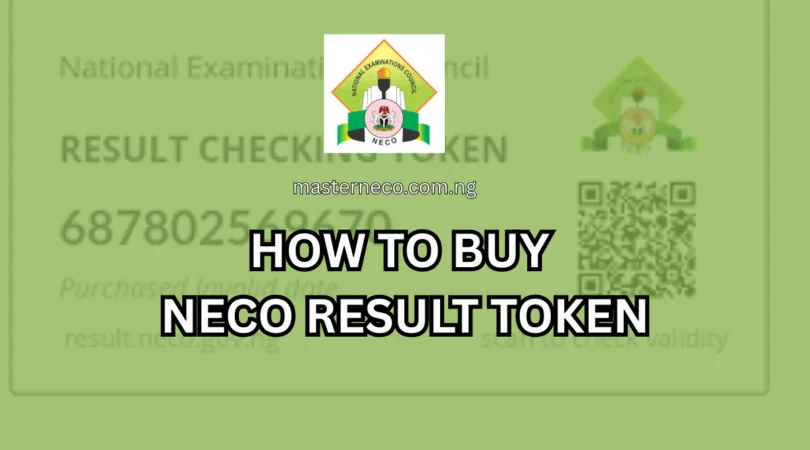
If you recently sat for the NECO SSCE, GCE, BECE, or NCEE and you are trying to check your result, the first thing you need is a NECO Token or what was formerly called a NECO Scratch card. Whether you are a student, parent, or guardian, this guide breaks down everything you need to know: what it is, how much it costs, where to buy it, and how to use it to check results online.
What Is a NECO Scratch Card or Token in 2026?
NECO no longer uses physical scratch cards. The National Examinations Council replaced the old scratch card system entirely. Candidates now use a NECO token to check their results online.
So when people search for “NECO scratch card 2026,” what they are really looking for is the NECO Result Checker Token. It works exactly like the old scratch card but exists in digital form.
The token is used to check results for candidates who sat for the NECO June/July and the GCE Private Examination. It can be used up to 5 times to check a particular candidate’s result.
You have to think of it as a one-time password that grants you access to a specific student’s result on the NECO portal. One token = one candidate.
NECO Token Price in 2026/2027 (Official & Vendor Rates)
Before you go looking for where to buy, you need to know what you should be paying. There are two main ways to get a NECO token: directly from NECO’s official portal or through a third-party vendor.
| Purchase Method | Token Cost | Additional Charges | Total Amount |
|---|---|---|---|
| Official NECO Portal | ₦2,000 | ₦261.25 (service + stamp duty + gateway) | ₦2,261.25 |
| Trusted Online Vendors | Varies | Usually bundled | ₦1,500 – ₦3,500 |
| Physical Cybercafe/Agent | Varies | Service fee included | ₦2,000 – ₦3,500 |
If you buy directly from the official NECO portal, the NECO result checker token costs ₦2,000, with a service charge of ₦50, stamp duty of ₦50, and a payment gateway charge of ₦161.25, bringing the total to approximately ₦2,261.25.
Some third-party platforms like Payteller offer the token at ₦1,500, with payment options including ATM card, bank transfer, QR code, or direct bank payment.
Bottom line: If you want the cheapest option, buy directly from the NECO portal. If you want speed and convenience with someone walking you through the process, a trusted vendor works fine.
Where To Buy NECO Scratch Card (Token) in 2026
You have three main options, each with its own advantages.
1. The Official NECO Portal (Recommended for Cost Savings)
The most reliable and cheapest place to buy your NECO token is directly from NECO’s official website.
Official Portal: https://result.neco.gov.ng
This is NECO’s own platform. You create an account, pay online, and the token appears on your dashboard. No middleman, no markup.
Advantages:
- Cheapest price (₦2,261.25 all-in)
- Token linked directly to your account
- You can retrieve lost tokens by logging in
Disadvantage:
- You handle the registration and payment yourself
- Can be confusing for first-time users
2. Trusted Third-Party Online Vendors
Several Nigerian platforms sell NECO tokens instantly after payment. These are useful when you are in a hurry or not comfortable navigating the NECO portal directly.
| Platform | Approx. Price | Delivery |
|---|---|---|
| NaijaResultPins | ₦2,200 | Instant |
| BuyCard.ng | ₦2,300 | Instant |
| Payteller.ng | ₦1,500 | Instant |
| MyCyberTeller | ₦1,500 | Instant |
| ExamsCard.com | Market rate | Instant |
Platforms like e-pinmall.com allow candidates to enjoy the convenience of buying valid and genuine NECO result checker cards from the comfort of their home or office, with payments processed through a secured Interswitch platform and instant delivery.
Important: Always verify a vendor is legitimate before paying. Check for reviews, look for secure payment systems (Paystack, Remita, or Interswitch), and avoid unknown WhatsApp contacts that approach you unsolicited.
3. Physical Vendors and Cybercafés
Some students still prefer the in-person route. You can walk into a cybercafé, computer village, or exam card vendor around your school and buy a token. The price is usually slightly higher due to the agent’s commission.
Some platforms also sell hard copy scratch cards that can be delivered via waybill to any destination in Nigeria or sent as a scanned copy through WhatsApp.
This option is best if you do not have a debit card or stable internet connection at home.
Step-by-Step: How To Buy NECO Token on the Official Portal
This is the most detailed breakdown you will find for buying your NECO token directly through NECO’s website.
Step 1: Visit the Official NECO Result Portal
Go to: https://result.neco.gov.ng.
Make sure you are on this exact URL. There are fake sites that look similar. Always double-check.
Step 2: Create an Account
Click the sign-up link, enter your name, email, phone number, and password. Check your email and verify your account. Creating an account is mandatory because without it, you cannot buy tokens or check results.
If you already have an account from a previous year, just log in.
Step 3: Purchase the Token
After logging in, click “Purchase Token,” select the number of tokens (usually 1), and proceed to payment via Remita. Payment options include ATM card (Verve, Visa, Mastercard), bank transfer, USSD, internet banking, and mobile wallets like Opay and PalmPay. After payment, your token will appear on your dashboard — copy and save it.
Step 4: Save Your Token Securely
Once you receive the token and serial number, save it somewhere safe — screenshot it, write it down, or email it to yourself. You will need it to check results.
Step 5: Check Your NECO Result
Go to the result portal, select your exam year and exam type (SSCE Internal for June/July, SSCE External for GCE, BECE, or NCEE), enter your registration number and token, then click “Check Result.” Your result will display immediately, and you can print or save it as a PDF.
How To Check NECO Result Using the Token (Full Process)
Once you have your token, here is the full result-checking process:
| Step | Action | Detail |
|---|---|---|
| 1 | Open the portal | Go to result.neco.gov.ng |
| 2 | Select exam year | Choose the year you sat for the exam |
| 3 | Select exam type | SSCE Internal, GCE External, BECE, or NCEE |
| 4 | Enter registration number | Your 10-digit NECO exam number |
| 5 | Enter token | Paste the token/PIN you purchased |
| 6 | Click “Check Result” | Your result loads immediately |
| 7 | Print or save | Download as PDF or print directly |
READ ALSO: What is the Difference Between WAEC and NECO? See Answer
Why NECO Stopped Using Physical Scratch Cards
Many students and parents are still confused about why NECO moved away from scratch cards. Here is the simple explanation:
NECO replaced scratch cards with tokens because scratch cards were easily faked, candidates wasted time looking for sellers, tokens can be bought anytime and anywhere, and online payment is safer and more transparent. The token system is more modern and reliable.
Physical scratch cards were a major source of fraud. Fake cards circulated widely, and students sometimes paid for cards that turned out to be invalid. The token system completely eliminates that risk because each code is generated digitally and is tied directly to one candidate.
Things To Know Before Buying Your NECO Token
Before you make any payment, keep these key facts in mind:
- One Token Per Candidate A single token is meant for one registration number only. You cannot use the same token to check multiple students’ results.
- Five-Time Usage Limit The NECO token can be used up to 5 times to check the result for a single candidate. This means you can verify the result multiple times using the same token.
- No Bank Purchase You cannot walk into a bank and buy a NECO token over the counter. Tokens are only sold online.
- The Token Does Not Expire Easily Once purchased, your token remains valid for the specific exam year it was issued for. You do not need to repurchase every time you want to check.
- Lost Token? Log In to Recover It If you bought from the official NECO portal and forgot your token, just log in to your dashboard and retrieve it. This is not possible with third-party vendors, so always save your token immediately.
Comparison: NECO Official Portal vs. NECO Third-Party Vendor
| Feature | Official NECO Portal | Third-Party Vendor |
|---|---|---|
| Price | ₦2,261.25 | ₦1,500 – ₦3,500 |
| Speed | Medium | Fast (instant) |
| Token Recovery | Yes (via account login) | No (save it yourself) |
| Tech-Friendliness | Moderate | High |
| Risk of Fraud | Very Low | Low (use verified sites) |
| Payment Options | Multiple | Multiple |
| Best For | Tech-savvy users | Busy or first-time buyers |
How to Identify a Fake or Invalid NECO Token
Not every platform selling NECO tokens is genuine. Protect yourself with these tips:
- Always check if the platform has a verified HTTPS connection (padlock icon in your browser)
- Read reviews from other buyers before paying
- Avoid sellers on random social media accounts with no traceable business presence
- Never pay through personal bank accounts not linked to a verified business
- Test the token immediately after purchase; contact support if it does not work
Genuine NECO result checker tokens are accepted by all tertiary institutions across Nigeria and even overseas for result verification. Always buy from trusted vendors to ensure acceptance.
NECO Examinations That Require the Token
The NECO token applies to all the following examinations:
| Examination | Full Name | When Held |
|---|---|---|
| SSCE Internal | Senior School Certificate Exam | June/July |
| SSCE External (GCE) | General Certificate of Education | Nov/Dec |
| BECE | Basic Education Certificate Exam | Varies |
| NCEE | National Common Entrance Exam | Varies |
One token applies to the specific exam type the candidate sat for. Make sure you select the correct exam type when checking results.
Common Mistakes Students Make When Buying NECO Token
- Buying from unverified vendors: This is the top cause of fake or invalid tokens. Stick to well-known platforms.
- Entering the wrong registration number: Your exam registration number must match exactly what appears on your exam slip.
- Buying the wrong exam type: A token purchased under the wrong examination category may not display the correct result.
- Not saving the token after purchase: Many students lose their token because they do not save it immediately. Screenshot it right away.
- Using a bad internet connection during payment: If your connection drops mid-payment, check your account balance before retrying to avoid double payments.
Frequently Asked Questions (FAQs)
Q: Is NECO scratch card the same as NECO token?
Yes. NECO scratch card is the old name. NECO token is the current system that replaced it. They serve the same purpose: giving you access to a candidate’s result online.
Q: How much is NECO token in 2026?
The official NECO portal charges ₦2,261.25 (token + service charges). Third-party vendors charge between ₦1,500 and ₦3,500 depending on the platform.
Q: Can one NECO token check results for two different students?
No. One token is linked to one candidate’s registration number only. You need a separate token for each student.
Q: How many times can I use a NECO token?
You can use the same token up to 5 times to check the same candidate’s result.
Q: Can I buy NECO token with transfer?
Yes. Bank transfer is one of the accepted payment methods on both the official portal and most third-party platforms.
Q: What happens if I pay but don’t receive a token?
For official portal purchases, log in to your dashboard and the token should appear there. For vendors, contact their customer support immediately with proof of payment.
Q: Can I buy NECO token from a bank branch?
No. NECO tokens are only available for purchase online. You cannot buy them at a bank counter.
Q: Does the NECO token expire?
Tokens are valid for the specific exam year and type. Once purchased, they remain usable up to 5 times for that specific candidate. They do not expire after a single use.
Q: What if my NECO token shows “invalid”?
This usually means the token was entered incorrectly, or you selected the wrong exam type or year. Double-check all entries. If the problem continues, contact NECO directly or reach out to the vendor.
Q: Can I use NECO token on my phone?
Yes. The NECO result portal works on smartphones via any browser. You do not need a computer to check results.
Conclusion
Getting your NECO result in 2026 is straightforward once you understand the current system. Physical scratch cards no longer exist; the NECO token is what every candidate needs to check their results successfully. You can buy it either directly from the official NECO portal at result.neco.gov.ng for roughly ₦2,261.25, or from a trusted third-party vendor for as low as ₦1,500.
Always verify the platform you are buying from, save your token immediately after purchase, and make sure you use the correct registration number and exam type when checking your result.
| Quick Reference | Details |
|---|---|
| Official Portal | result.neco.gov.ng |
| Official Price | ₦2,261.25 |
| Vendor Price Range | ₦1,500 – ₦3,500 |
| Token Validity | Up to 5 uses per candidate |
| Applies To | SSCE, GCE, BECE, NCEE |
| Payment Options | ATM card, bank transfer, USSD, mobile wallets |
If this guide helped you, share it with other students and parents who are still confused about how NECO result checking works in 2026/2027.




[…] READ ALSO: How To Buy NECO Token Online 2026/2027 (Complete Guide) […]